Free
PrimeSearch
One shortcut, and any effect, transition or preset lands on the selected clips.
Start here
Installs, activates and updates the extensions and effects in Premiere and After Effects. Sign in with your account and it downloads the right version of everything.
Windows 10 or 11 · 0.1.3
Basically KBar, but for Premiere Pro.
Free
Productivity panel for Premiere Pro and After Effects
$14.00 lifetime
Premiere Composer, but good and lifetime.
$28.00 lifetime
No Mac support yet.
Silence cutting and voice-based camera switching
$37.00 lifetime
No Mac support yet.
YouTube, Pinterest and Google inside Premiere
$9.00 lifetime
Small tools for everyday editing. Download, install and use them for free.
One shortcut, and any effect, transition or preset lands on the selected clips.
The Project panel organized by rules, with preview and undo.
Notes inside Premiere, with clickable video timestamps.
Levels voice right on the Premiere Pro timeline.
+15 GB editing pack, completely free! With organized music, memes, sound effects, chromas, backgrounds, and overlays :D
Native plug-ins for Premiere Pro and After Effects. The Threshold App installs and updates all of them in one click.
Transform with bounce: two keyframes, and it overshoots and settles on its own.
Fast Displacement Map on the GPU: smooth map and scrolling with no keyframes.
Windows 10 or 11. The effects show up in the Effects panel, in the Threshold folder.
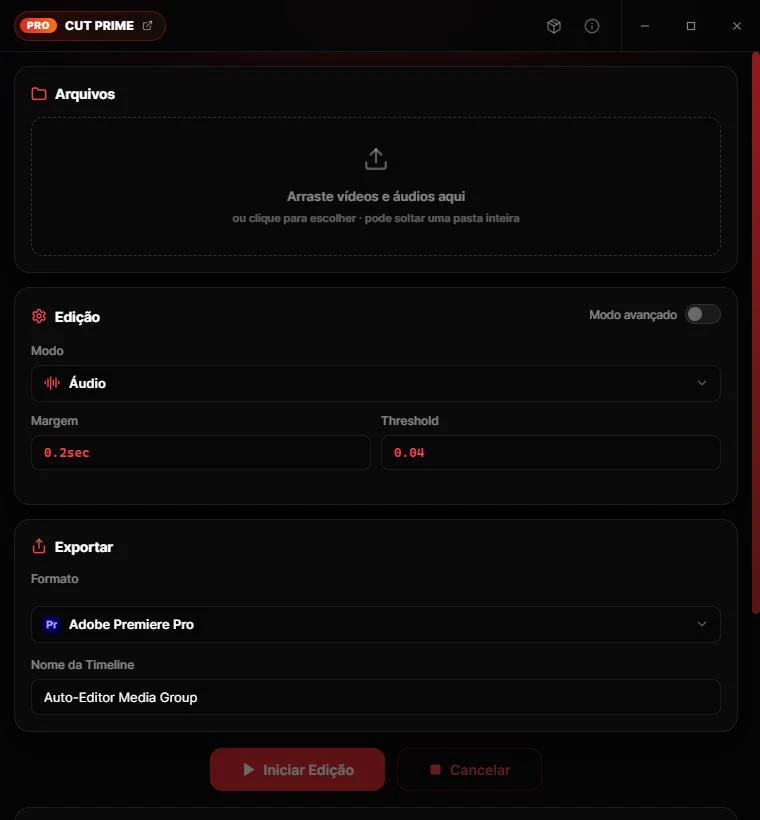
Cuts silence and dead air from videos and audio, with a cut preview before exporting to Premiere, DaVinci Resolve, Final Cut, Shotcut or Kdenlive. Formerly Auto Cut, now with a new interface. Built on auto-editor.
Intel Mac (before 2020)? Download this version. On a Mac, the first time you open it: System Settings → Privacy & Security → Open Anyway. The app is free and does not go through Apple's paid verification.

Native, lightweight, free and ad-free YouTube Music.


